


10% discount
Mashhad Cloud Datacenter
Reserve the processing power, RAM and storage your projects need in a Mashhad cluster.
ProcessorRAMStorage
HostIran virtual cloud datacenter
The power to build, is in your handsOne resource package, multiple machines for your projects. Reserve CPU, RAM, and storage, then build the cloud machines you need within those resources.
Reserve the processing power, RAM and storage your projects need in a Mashhad cluster.

Reserve the processing power, RAM and storage your projects need in an Ahvaz cluster.
Reserve the CPU, RAM, and storage that match your needs; then build cloud machines within those resources.
Reserve the CPU, RAM, and storage your projects need in one pool.
Build the cloud machines you need within your reserved resources.
Manage your reserved resources and cloud machines through the Cloud panel.
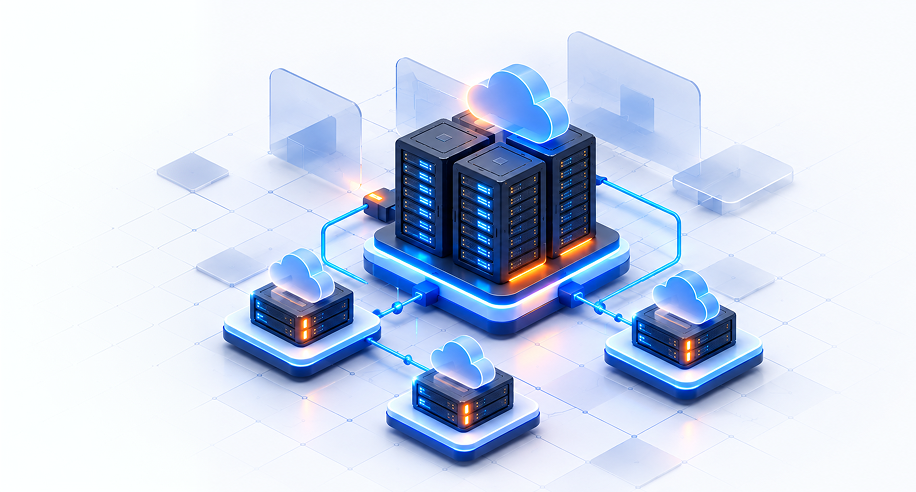
To choose the right resources, specify the number of machines and the total CPU, RAM, and storage your projects need. If you are unsure, tell us about your project use case.
Choose processing power to match your cloud machines' needs

Allocate the memory required to run your cloud machines
Choose storage capacity to match your data volume

Manage your reserved resources and cloud machines from the Cloud panel.

View RAM, CPU and storage usage in real time

Check the status of active, powered-off and suspended machines

See costs, billing cycle and your financial status at a glance
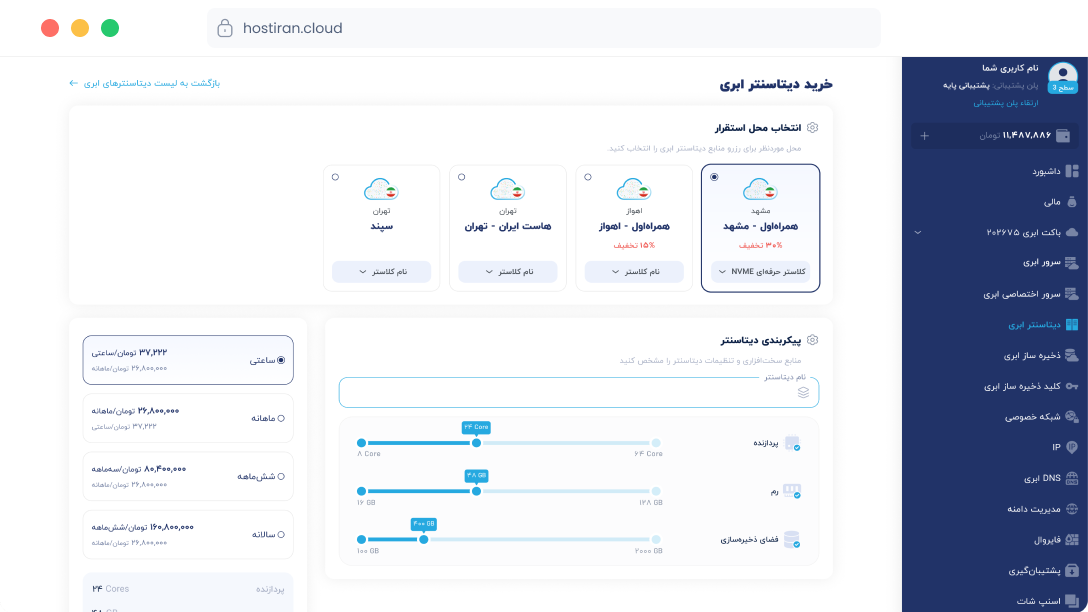
From choosing a location and resources to creating cloud machines, everything is done through the HostIran user panel.

Choose the geographic location and cluster you want.

Specify the CPU, RAM, storage and billing period.

Build your datacenter and manage your cloud machines.
If you couldn’t build your desired service, submit a request so we can contact you.

Cloud Datacenter is a service that lets you purchase and reserve the processing power, memory and storage you need. Then, use these resources to build multiple cloud machines and manage them all from one panel.
First, choose the datacenter location and the cluster you want. Then specify the CPU, RAM and storage, and create your cloud datacenter by selecting a billing period.
Here you can find common user questions and official solutions provided by Hostiran.
ابتدا نیازتان را با بستهها و گزینه ماشین ابری عادی مقایسه کنید تا ظرفیت متناسب انتخاب شود.
پیشنهادهای فعال و شرایط آنها در صفحه بستهها اعلام میشود. برای سفارش شما، شرایط جاری همان زمان ملاک است.
نیاز ماشینها و لوکیشن را مشخص کنید، بسته و شرایط سفارش را بررسی و پس از تکمیل خرید، ماشینها را در پنل بسازید.
از نظر خرید یک بسته و ساخت چند ماشین، قابل مقایسه است. فروش مجدد، وایتلیبل و دسترسی مستقل مشتریان امکانات جداگانهاند و باید بررسی شوند.
مبلغ بر اساس بسته منابع انتخابی و دوره سفارش تعیین میشود. جزئیات قیمت، اقلام جانبی و شرایط در خلاصه سفارش نمایش داده میشود.
برای بررسی مزیت قیمت بسته، پیکربندی، لوکیشن، دوره و خدمات گزینههای همسطح را مقایسه کنید. پیشنهاد متناسب بر اساس نیاز شما ارائه میشود.
بستههای قابل ارائه و حدود منابع در جدول جاری پنل مشخص میشوند. برای انتخاب، مجموع نیاز CPU، RAM و ذخیرهسازی پروژه را بررسی کنید.
تعداد ماشینها به اندازه بسته و حداقلها و قواعد پیکربندی هر ماشین وابسته است. مشخصات ماشینهای موردنیاز را برای بررسی دقیق اعلام کنید.
فعلاً اهواز و مشهد؛ ظرفیت قابل ارائه را هنگام انتخاب بسته در پنل بررسی کنید.
در این مدل ابتدا بسته منابع را انتخاب میکنید و سپس ماشینهای موردنیاز را در محدوده آن میسازید؛ در خرید ماشین، پیکربندی هر ماشین نقطه شروع انتخاب است.
تیمهای دارای چند ماشین یا چند پروژه با نیاز مشخص به منابع، میتوانند تناسب بستهها را با کار خود بررسی کنند.
ابریون نام پیشنهادی دیتاسنتر ابری مجازی است؛ یک بسته CPU، RAM و ذخیرهسازی انتخاب میکنید و ماشینهای ابری پروژههایتان را در محدوده آن میسازید.

 Consultation